Giving Classes a Home
So far our programs have been small: one file, one class, one working folder. In a real application, you will encounter several classes with similar names, code libraries, and people working on different parts. We need a way to give each class a recognizable place. Packages organize names; modules let us declare which packages are exposed and which other modules a group of code depends on. These are two distinct levels, and we will start with the simpler one.
Definition – Package. A package is a namespace for classes and interfaces. A class's full name combines the package name and class name, for example
java.util.ArrayList. Dots separate parts of the name; in projects using files and folders, tools usually reflect this hierarchy in the source paths.
Declaring and Naming a Package
Let us put the Catalog class in the package javabricks.exercises.chapter6. The source's first significant line is:
package javabricks.exercises.chapter6;
The declaration identifies the class's package. The folder we use for the source file Catalog.java follows the same structure: javabricks/exercises/chapter6/Catalog.java. This agreement between name and path simplifies compilation, searching, and maintenance. A dot alone does not create folders: the filesystem and build tools must find files in the expected arrangement.
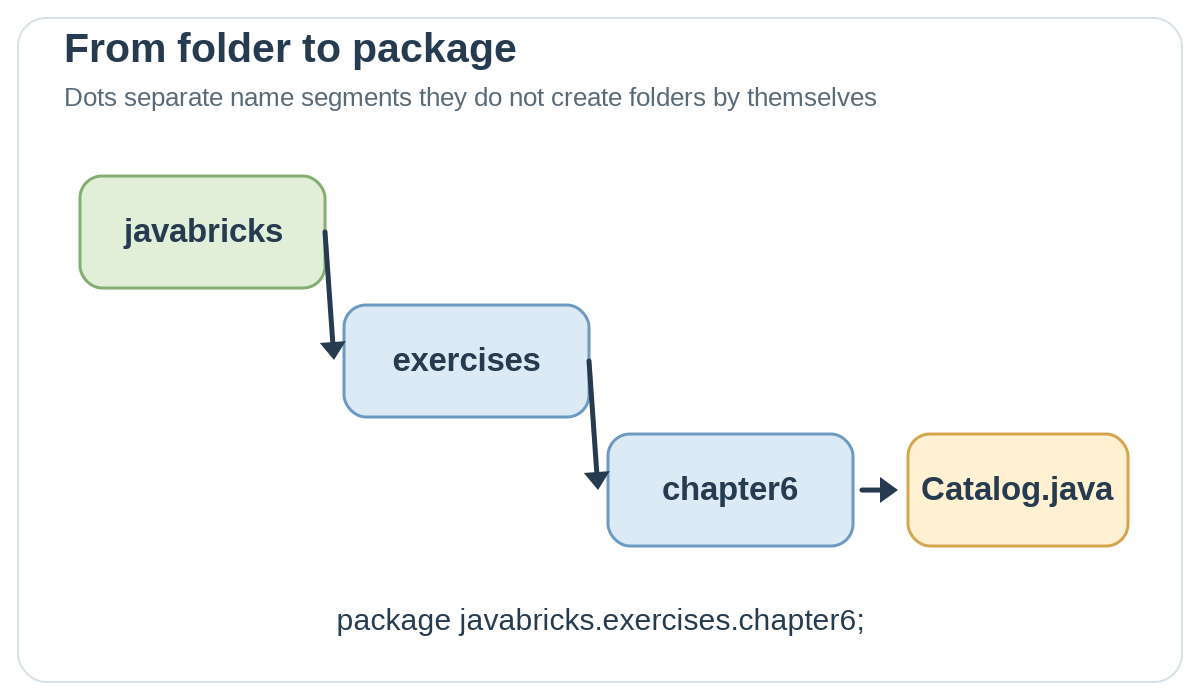
Catalog class is placed in the final folder.A generically named package such as util risks conflicting with a package from another project. For code intended for distribution, a prefix tied to an Internet domain controlled by the organization is often used, written in reverse order, for example com.example.catalog. This is not automatic verification of domain ownership: it is a convention that helps choose unique names. Inside a package, use words describing a responsibility; com.example.catalog.loans says more than com.example.misc.
Important note – A Dot Grants No Privileges.
com.example.catalogandcom.example.catalog.internalare distinct packages. The latter does not thereby obtain special access to the former's classes. The package and module specification precisely describes names and visibility.
A package name is chosen once for a portion of code and then appears in several places: at the start of the source, in users' imports, in commands naming a main class, and often in folders. Changing it is not equivalent to renaming only a directory. If Catalog.java still declares package javabricks.exercises.chapter6; but you move it under com/example/catalog, the class's declared name remains javabricks.exercises.chapter6.Catalog. The chosen path may make source searching fail or become complicated, and the file compiled with -d will follow the declared package anyway.
A package tree can help us see that dots separate name segments. Think of it as a logical address, rather than a family relationship between packages. java.util and java.util.concurrent share a prefix but are two distinct namespaces. If a class is accessible only in its own package, adding .internal to the caller's name does not open the door. This is the same principle we used in the encapsulation chapter to decide who can read a member.
Finding and Distributing Classes
To compile Catalog.java from the source root, we can use:
javac --release 25 -d build javabricks/exercises/chapter6/Catalog.java
java -cp build javabricks.exercises.chapter6.Catalog
The -d build option asks the compiler to put .class files under build, recreating package subfolders.
At startup we use the class's qualified name, rather than the slash-separated path. -cp build indicates the class path: the set of locations where the java command can look for application classes in this startup form. If the command cannot find the class, check the package declaration, generated file path, class path, and name passed to java together.
Let us diagnose step by step, as we would with a real error message. After compilation, the build directory must contain javabricks/exercises/chapter6/Catalog.class. If instead you pass the path javabricks/exercises/chapter6/Catalog.class to java, you are supplying a filename where the command expects a class name. If you write only Catalog, the runtime looks for that name without the package and does not find the class just compiled. If you write the full name but set -cp to build/javabricks, the search root is too far down. The correct root is the directory above the package's first segment, namely build in our example. Four strings can look almost identical yet indicate four different things: source path, compiled file path, class path root, and qualified name.
The CLASSPATH environment variable can provide a default value, but for learning it is clearer to pass -cp in the command we are trying: the path dependency remains visible beside the class name. Those reproducing the example do not have to guess a configuration made months earlier on our computer. In larger projects, a build tool will construct the class path for us; even then, understanding its root helps diagnose a ClassNotFoundException or startup searching for the wrong class.
JAR archives collect classes and resources in a file. A JAR can have a META-INF/MANIFEST.MF containing information such as the main class, allowing startup with java -jar. The manifest does not replace the package declaration, does not turn the program into a module by itself, and does not modify class visibility. The jar manual describes creating and inspecting these archives; in the tools chapter, we will prepare a complete distribution.
Reading the JAR and Manifest Without Magic
The manifest can tell the runtime what to start and contain other metadata for the distributed archive. The useful point for our example is concrete: if the archive contains javabricks/exercises/chapter6/Catalog.class, the manifest's Main-Class entry must name javabricks.exercises.chapter6.Catalog, with dots and without .class. If the name is wrong, the archive can be valid but java -jar cannot find the requested entry point.
You can inspect a JAR's contents with jar --list --file catalog.jar. Seeing the class's path in the archive helps diagnose startup errors. A JAR can also include data files, such as configurations or images, which are not Java classes. The archive does not automatically incorporate every library the program depends on; obtaining and distributing them is a project choice. We must not confuse “I managed to create a .jar file” with “I prepared a complete, reproducible distribution.”
We can complete our Catalog experiment without leaving the manifest as an abstract promise. After compiling the class into the build directory, run from the same working directory:
jar --create --file catalog.jar --main-class javabricks.exercises.chapter6.Catalog -C build .
jar --list --file catalog.jar
java -jar catalog.jar
The -C build . option puts the contents of build into the archive, taking that folder as its root. Therefore, the class's internal path starts with javabricks/, rather than build/. --main-class makes the jar tool write the Main-Class entry in the manifest with the correct qualified name; there is no need to invent the file's spaces or line endings manually. The second statement lets us check that META-INF/MANIFEST.MF and the class are present; the third starts the archive and prints Java, Brick by Brick. If build contained classes from other experiments, they would also enter the archive: for a real distribution, use a clean compilation folder and declare all required dependencies.
The manifest can also contain security-related information. It can carry attributes and signature metadata, but a text entry's presence does not make an archive trustworthy. Checking provenance and integrity requires tools and checks appropriate to the chosen distribution. Here we use the manifest for startup and defer signing and trust chains to the secure-distribution section, where we can address them without suggesting that writing a line in a file is enough.
import: A Shorter Name in the Source
The ArrayList class belongs to java.util. We can write java.util.ArrayList whenever we use it, or add an import declaration after package and before the class:
package javabricks.exercises.chapter6;

import java.util.ArrayList;

public class Catalog {
    private Catalog() {
    }

    public static void main(String[] args) {
        ArrayList<String> titles = new ArrayList<>();
        titles.add("Java, Brick by Brick");
        System.out.println(titles.get(0));
    }
}
This program creates a list of titles, adds one, and prints it. The small constructor private Catalog() signals that here the class serves only as a startup point and should not be instantiated; constructor meaning will be developed in the classes chapter. ArrayList<String> indicates that the list contains strings; the collections chapter will explain the parameterized type and its methods. Here we care about the name: thanks to import java.util.ArrayList;, we can write ArrayList in the rest of the file. The class remains in java.util; the import does not copy it, move it, or make it public if it was not already.
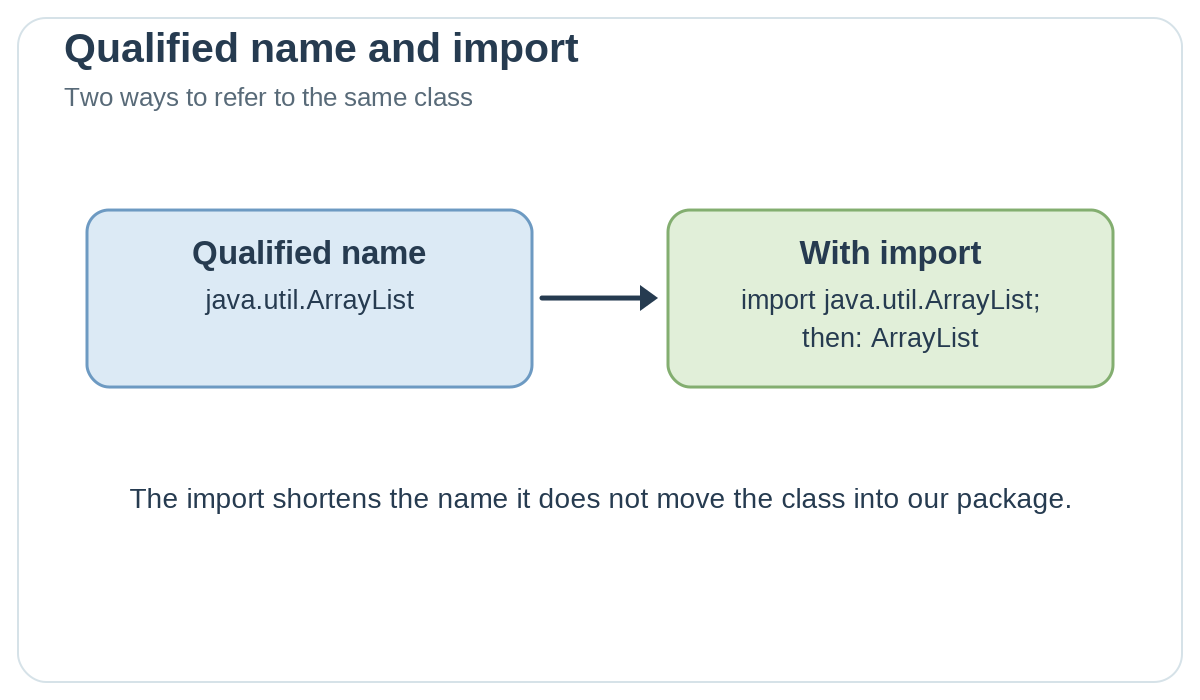
java.util.ArrayList.import java.util.*; makes accessible types directly in that package available by simple name, but not those in its subpackages. For the book's examples we will prefer explicit imports: readers immediately see where a class comes from, and name conflicts are easier to diagnose. Types in java.lang, such as String, are available without explicit imports.
An import is not a runtime loading instruction either. The compiler uses it to resolve a name written in the source. If you delete the ArrayList import and replace every occurrence with java.util.ArrayList, the meaning of the class used does not change. If, instead, you keep the short name without an import or a same-named class available in the same package, the compiler cannot determine its type. This is a small but fundamental difference when reading messages such as “cannot find symbol.”
Consider two classes, Author and PrintAuthorName: one represents the author, the other prints the author’s name. We are interested in the ability to refer to the same class in three ways. If PrintAuthorName is in the same package as Author, it can use the simple name without any import. If it is in another package and Author is accessible, it can write the qualified name wherever needed. Finally, it can declare an import and then use the simple name. None of these forms creates a second Author class: only the rules by which the compiler recognizes the name written in the source change.
The word “accessible” is essential in this comparison. An import does not make a nonpublic class public. A class declared without the public modifier can be used only according to its package's access rules; moving PrintAuthorName to a nearby package, even with the same prefix, does not cross that boundary. Nor does * create an exception: import com.example.catalog.*; simplifies some names, but does not change visibility declarations and does not automatically include com.example.catalog.internal. That is why, when an import seems correct but the compiler complains, we check both the name and access permission.
There is also an import for static members, allowing a constant or static method's name to be used directly. A common example is importing Math.PI; without that import we write Math.PI, and the prefix immediately reminds us where the value comes from. For initial examples, we prefer the qualified name when it makes the line clearer. Using * in imports does not mean “copy the whole package” and does not import subpackages, in either ordinary or static form.
Good practice – If a Name Is Ambiguous, Use the Full One. Two packages can contain classes with the same simple name. An import does not change their identity. Where they need distinguishing, writing the qualified name is clearer than inventing a trick to avoid the conflict.
A Bigger Step: Modules
A package organizes names; a module groups packages and declares its dependencies and externally accessible parts. Since JDK 9, the module system has been part of the platform. You need not turn every exercise into a module: a small program on the class path is a sensible starting point. However, you must know that both startup modes exist, because many modern tools and libraries encounter them.
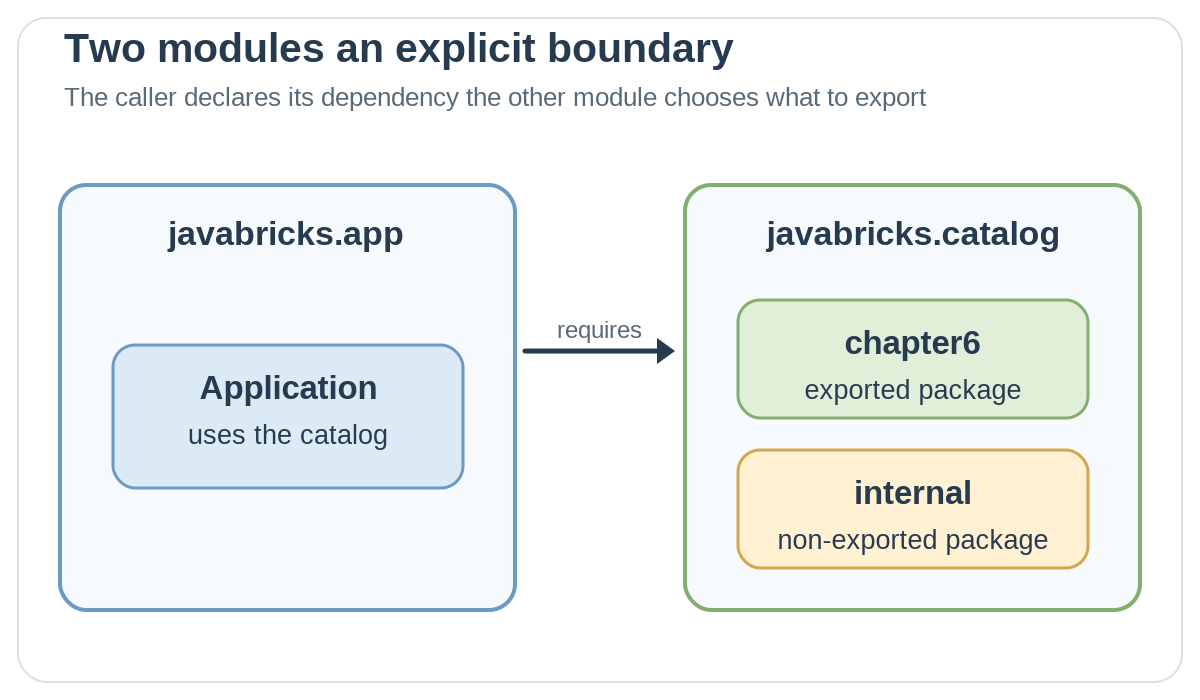
javabricks.app reads javabricks.catalog, which exports the chapter 6 package. The name chapter6 in the figure abbreviates javabricks.exercises.chapter6; the internal package represents a possible non-exported part. A simple import would not make that part accessible from the external application.A module descriptor is called module-info.java. For an example module wanting to make the catalog package public, it might contain:
module javabricks.catalog {
    exports javabricks.exercises.chapter6;
}
exports makes that package's public classes accessible to modules reading javabricks.catalog. It does not make classes or private members public, and does not automatically export other packages. If the module depended on a module other than java.base, it would declare the dependency with requires. java.base is implicitly read by every module, so there is no need to write requires java.base; in our example.
Modular compilation and startup use a module path, separate from the class path. With files in the structure shown in the chapter materials, the essential startup form is java --module-path mods -m javabricks.catalog/javabricks.exercises.chapter6.Catalog: first the module name, then the main class's qualified name. The modules section is not an invitation to immediately memorize the command line; it helps us understand that a package name and a module name answer different questions.
Key concept – Accessibility in Two Steps. A public class in a package is not necessarily accessible from another module. The package must be exported, and the calling module must read the one exporting it. The descriptor makes these choices visible; with only the class path they remain more implicit.
The module system also provides services: a module can declare that it uses a service, and another can offer an implementation. The ServiceLoader API finds available implementations without fixing their names in the code using them. This is useful when designing replaceable components; for now, it is enough to know that requires and exports are not the only possible declarations. Furthermore, jlink can build a runtime image with the modules an application needs: we will encounter it in the distribution section.
A New Import in Java 25
Java 25 also makes the import module declaration stable. For example, import module java.base; allows types from that module's exported packages to be used by simple name, according to the official documentation. This is a source convenience for importing types; it does not replace the requires declaration in a module descriptor. In small teaching programs, we will often continue importing one class at a time, because it makes a name's origin immediate.
Java version –
import module. The syntax is part of Java 25's stable language. If you compile for an earlier release, a file using it might not be accepted. Main-path examples declare the version requirement when introducing a new form.
To Conclude
A package gives related classes a name, an import abbreviates how we name them inside a file, a JAR can collect compiled files and resources, and a module declares dependencies and access boundaries. None of these tools automatically repairs a confused model; they make our choices readable and verifiable.
To practice, move a copy of Catalog.java to the package com.example.catalog, update folders and commands, and check that the program still prints the title. The activity has succeeded when you can identify which line changes the class's qualified name, which option indicates where to search for compiled files, and why an import declaration alone does not modify ArrayList's package.